Knowledge base
Hotel and indoor delivery robots: common problems and fixes
Indoor delivery robots ride elevators, pass doors and depend on Wi-Fi. When they stop, the cause is often the building: the elevator, the network or a door.
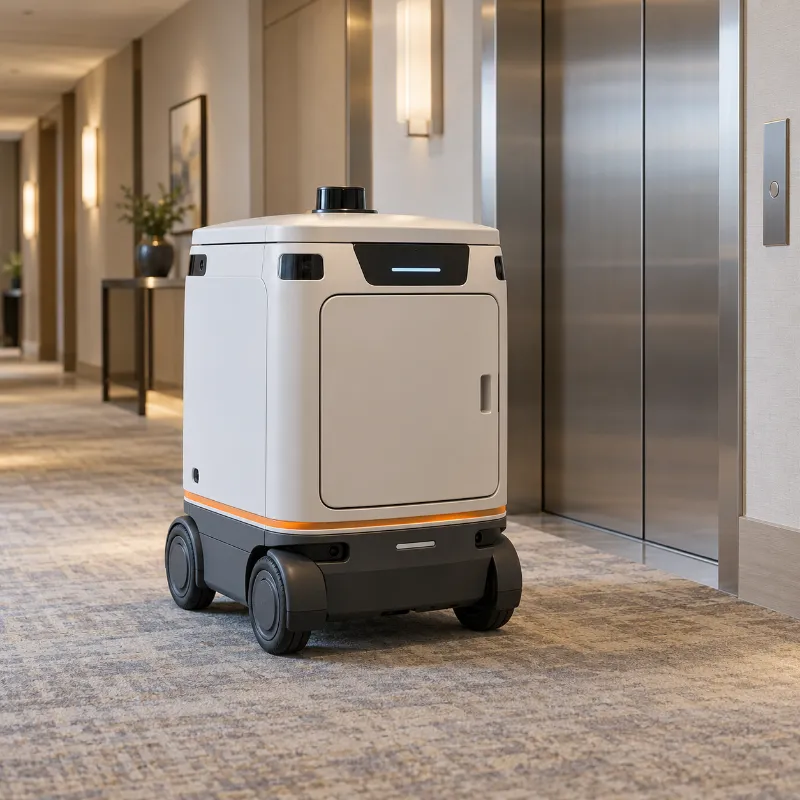
Where you meet them
Hotels, hospitals, office towers, residential buildings
Can't call or use the elevator
Elevator integration depends on the elevator, the network and its controller.
Likely causes
- The elevator is in service or fire mode
- The elevator controller or gateway lost power or network
- Wi-Fi is weak at the elevator lobby
Try this first
- 1 Check that the elevator works normally for people and is not in service mode.
- 2 Check that the elevator gateway, if there is one, is powered on.
- 3 Check Wi-Fi signal at the elevator lobby on a phone.
Call a technician if:The elevator works for people, the network is fine, but the robot still can't call it.
Run guided diagnosisGoes offline or doesn't connect to Wi-Fi
Changed network settings or weak spots in the building.
Likely causes
- Wi-Fi password or network name changed
- Weak signal on some floors or in elevators
- Router or access point restarted with new settings
Try this first
- 1 Ask IT whether the Wi-Fi name or password changed.
- 2 Check signal strength with a phone where the robot goes offline.
- 3 Restart the robot as described in the manual.
Call a technician if:The network is fine everywhere, but the robot still disconnects.
Run guided diagnosisDelivery compartment won't open
Usually a PIN or lock state, sometimes a mechanical jam.
Likely causes
- Wrong PIN or expired delivery code
- Compartment locked by the system after an error
- Lid jammed by an overfilled order
Try this first
- 1 Check the delivery code and try again.
- 2 Use the staff unlock option from your manual.
- 3 Press the lid gently down, then try to open it again.
Call a technician if:Staff unlock doesn't work or the lock clicks but the lid doesn't move.
Run guided diagnosisGets stuck at a door or threshold
The building has a step or door the robot was not set up for.
Likely causes
- Threshold higher than the robot's spec
- A heavy or automatic door that closes on the robot
- A door sensor that doesn't detect the robot
Try this first
- 1 Measure the threshold and compare it with the manual.
- 2 Check whether the door has a hold-open or automatic mode.
Call a technician if:You need a ramp, door integration or a route change.
Run guided diagnosisGeneral guidance for any brand. Always follow your robot's manual first. Never open the battery compartment or the robot's body, and keep the manufacturer's warranty in mind.