Knowledge base
Commercial cleaning robots: common problems and fixes
Autonomous scrubbers and vacuums clean large floors on a schedule. Most stoppages come from three places: the dock, the sensors and the cleaning parts (brushes, squeegee, tanks). Many of them can be fixed by staff in minutes.
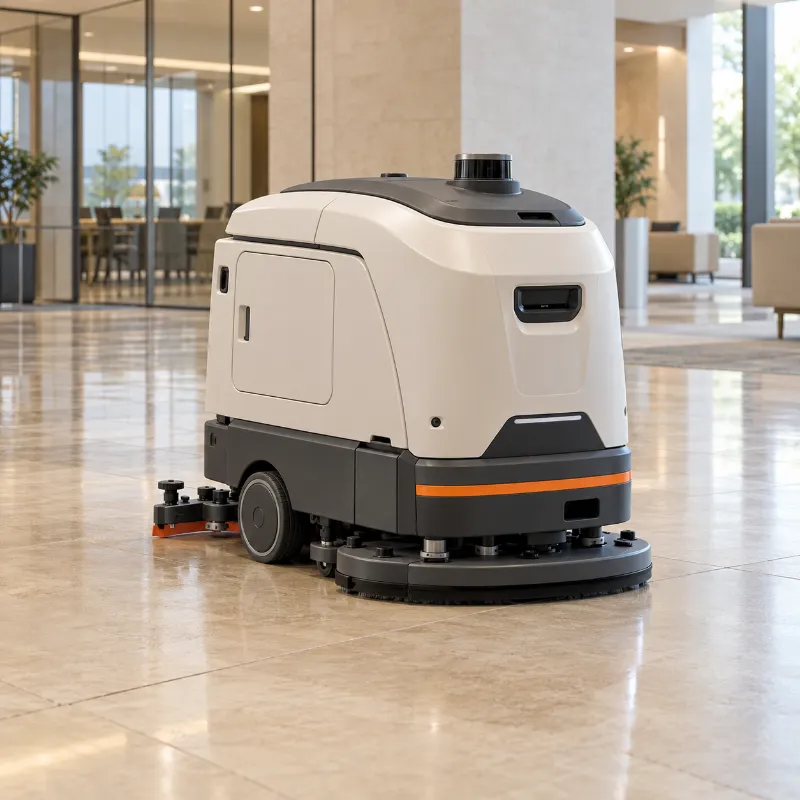
Where you meet them
Malls, airports, offices, warehouses, hospitals
Models
Won't return to the dock or doesn't charge
Usually dirty charging contacts, a moved or blocked dock, or a robot that lost its position on the map.
Likely causes
- Dirt or film on the charging contacts of the robot or the dock
- The dock was moved, unplugged or boxed in by carts and furniture
- The robot lost its position after the area changed
- An ageing battery that no longer holds a charge
Try this first
- 1 Check that the dock is plugged in and its power indicator is on.
- 2 Clear the space around the dock as your manual requires.
- 3 Power the robot off before touching brushes, wheels or the underside.
- 4 Wipe the charging contacts on the robot and the dock with a dry, lint-free cloth.
- 5 Place the robot on the dock by hand and check that charging starts.
Call a technician if:Contacts look burnt or bent, the robot does not charge even when placed on the dock by hand, or the battery is hot or swollen.
Run guided diagnosisLeaves streaks or water on the floor
The squeegee or the recovery side of the robot is not picking the water back up.
Likely causes
- Worn, dirty or misaligned squeegee blade
- Recovery tank is full or its filter is clogged
- Too much detergent or water for the floor type
- Weak suction from a blocked hose or a failing vacuum motor
Try this first
- 1 Empty and rinse the recovery tank, clean its filter.
- 2 Remove the squeegee, rinse it and check the blade edge. Flip or replace the blade if it is worn.
- 3 Check the solution dosage against the manual for this floor type.
- 4 Look for a hair or debris clog in the suction hose you can reach without tools.
Call a technician if:Suction stays weak after cleaning the tank, squeegee and hose, or the vacuum motor sounds unusual.
Run guided diagnosisStops and reports an obstacle in open space
The robot "sees" something that is not there: dirty sensors, reflections or strong sunlight.
Likely causes
- Dust, fingerprints or water on the lidar window, cameras or cliff sensors
- Glass walls, mirrors or very shiny floors confuse the sensors
- Direct sunlight through windows
- A sensor or its cable is damaged
Try this first
- 1 Pause the robot and power it off.
- 2 Wipe the lidar window, cameras and the cliff sensors underneath with a dry microfiber cloth.
- 3 Note where it stops: near glass, mirrors, sunny windows or a freshly polished floor?
- 4 Power it on and run the same route again.
Call a technician if:It keeps stopping in the same spot after cleaning the sensors, or a sensor reports an error on the screen.
Run guided diagnosisGets lost or can't find its position
The building no longer matches the robot's map.
Likely causes
- Furniture, shelves or partitions were moved
- A new area or a renovation is not on the map
- The robot was carried to a new place while switched off
Try this first
- 1 Drive or carry the robot to its usual starting point.
- 2 Use the relocalization option from your manual.
- 3 If the space changed a lot, plan to update the map.
Call a technician if:The map needs to be rebuilt or edited and nobody on site has done it before.
Run guided diagnosisBrush doesn't spin or there is a burning smell
Wrapped hair and string are the usual cause. A burning smell means stop now.
Likely causes
- Hair, string or plastic wrapped around the brush
- A brush that is worn or not seated properly
- An overloaded or failing brush motor
Try this first
- 1 Power the robot off before touching brushes, wheels or the underside.
- 2 Remove the brush as described in the manual.
- 3 Cut and pull away wrapped hair and string, clean the brush ends.
- 4 Refit the brush until it clicks into place.
Call a technician if:Any burning smell, smoke or a brush that still won't turn after cleaning.
Run guided diagnosisGeneral guidance for any brand. Always follow your robot's manual first. Never open the battery compartment or the robot's body, and keep the manufacturer's warranty in mind.